[ad]
Well,
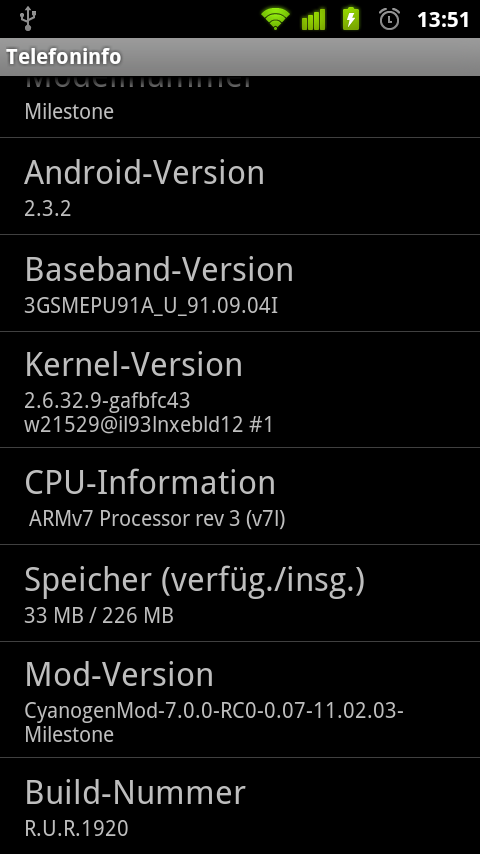
Gingerbread finally made it’s way to my Motorola Milestone 😀
Credits go to nadlabak 🙂
NOTE: I’m not responsible for your actions. Installing Custom ROMs can brick your phone so be sure you know what you are doing!
Go grab your update on the projects’s google code page 🙂
When you are coming from CM6 or any other froyo (2.2) mods the update process is simple:
- Download the CM7 update.zip http://code.google.com/p/cyanogenmod4milestone/downloads/detail?name=update-cm-7.0.0-RC0-0.07-11.02.03-Milestone-signed.zip
- Download the gapps update for CM7 http://wiki.cyanogenmod.com/index.php?title=Latest_Version#Google_Apps
- Boot to OpenRecovery http://code.google.com/p/androidiani-openrecovery/downloads/detail?name=OpenRecovery-3_3.zip
- Make a full nandroid backup
- Perform all three wipes (cache, davlik cache, data)
- Apply CM7 update
- Apply gapps update
- Reboot and be happy 🙂
NOTE: when i installed CM7 there was no GoogleMail app. So i just installed „MarketEnabler“ from the market and changed my phone temporary to US (T-Mobile) and installed the GoogleMail app from the market the normal way. Works like a charm 🙂
And now, have fun with CM7 🙂
I’m looking forward to the next updates 🙂
Greets, Goddchen
[ad]